 By llew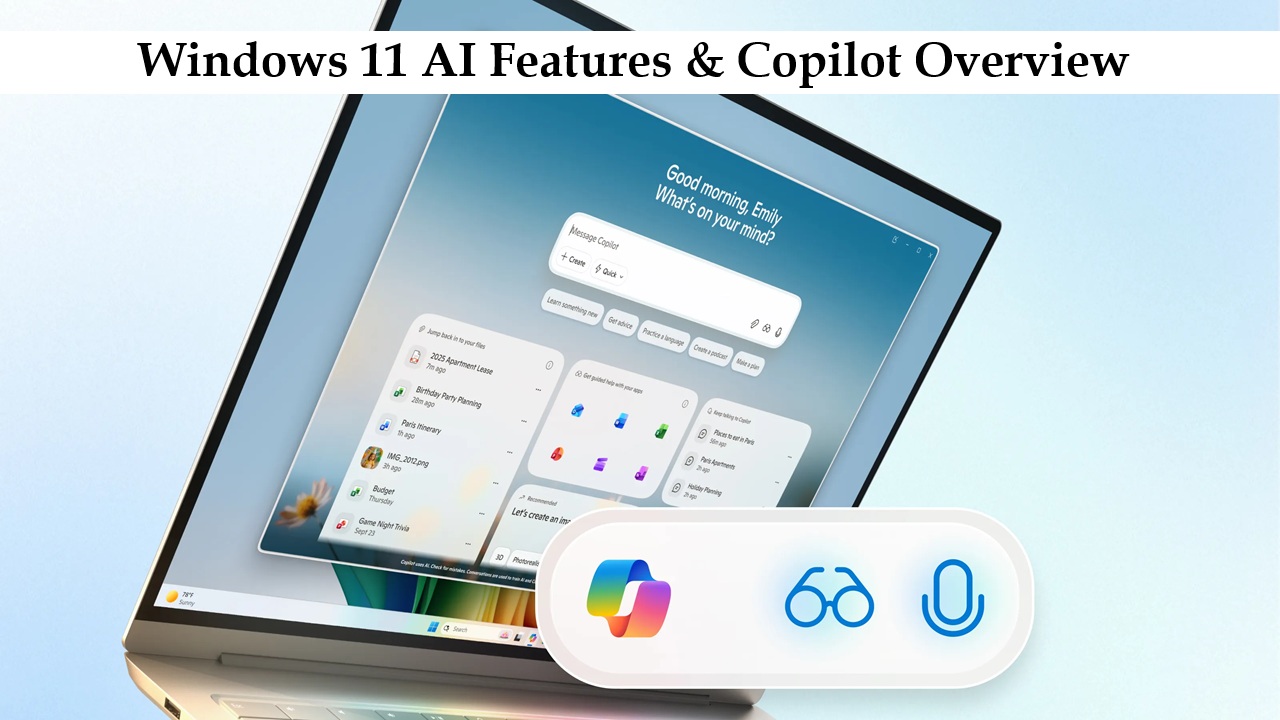
Windows 11 isn’t just about a fresh new look. It’s Microsoft’s biggest step toward making artificial intelligence a core part of your computing experience. While previous versions mainly focused on performance and design, Windows 11 brings AI right into the heart of how you interact with your PC.
From smarter searches to real-time assistance, AI is now woven into daily tasks. The standout example is Windows Copilot, Microsoft’s built-in AI assistant. It helps you write, summarize, automate tasks, and navigate your PC more efficiently.
Instead of being a separate add-on, AI in Windows 11 works quietly in the background, making your workflow smoother, your gaming sharper, and your browsing more intuitive. It’s like having a digital helper ready whenever you need it.
What is Windows Copilot?
Windows Copilot is Microsoft’s AI assistant built directly into Windows 11. It uses advanced language models combined with deep system integration, letting you interact with your computer naturally, almost like having a conversation.
Unlike traditional Windows tools that rely on menus and manual clicks, Copilot understands what you’re doing and offers intelligent suggestions.
Key things Copilot can do:
Draft emails, summaries, and other text quickly
Explain complex documents or web pages in simple language
Adjust Windows settings with plain commands
Offer productivity tips in real time
Summarize meetings or conversations
Provide troubleshooting guidance
The difference between Copilot and older assistants like Cortana is clear: Copilot doesn’t just follow commands—it understands context, interprets intent, and helps you accomplish real tasks across multiple apps. For many, it feels like having a personal assistant right next to you.
Core AI Features in Windows 11

Windows 11 packs several AI-driven features that make everyday tasks faster and smarter.
Smart suggestions and text generation
Copilot can rewrite emails, summarize documents, or explain technical topics in simple terms. Writing a business proposal in Word? Copilot can refine your tone and structure in seconds.
AI-powered search and multitasking
Searching for files is now more intuitive. Instead of exact filenames, you can type naturally—like “presentation from last week about marketing”—and Windows finds it quickly. Snap Layouts and virtual desktops even suggest optimized layouts based on your habits.
Personalized app recommendations
Windows 11 can recommend apps and workflows based on your activity. If you often join online meetings, it might prioritize Teams, calendar reminders, and relevant documents.
AI-driven security and threat detection
Microsoft Defender uses AI to spot unusual behavior and respond to threats in real time. It doesn’t just rely on old-fashioned signature checks—it proactively monitors for suspicious activity, keeping you safe before damage occurs.
How Windows 11 AI Boosts Productivity
One of the biggest advantages of Windows 11 AI is its ability to save you time and reduce repetitive tasks.
Automated workflows
Copilot can open apps, adjust settings, or summarize long reports without you having to juggle windows or menus.
AI-assisted writing and summaries
For remote workers, Copilot can summarize meetings, extract key points, and even draft follow-up emails. Students can use it to simplify research articles or explain tricky topics.
Smart scheduling and reminders
Windows 11 can suggest optimal meeting times or alternative slots if your schedule is tight, reducing interruptions and helping teams collaborate more smoothly.
In short, AI in Windows 11 frees you to focus on meaningful work instead of managing tools.
Copilot Integration Across Apps
What makes Windows 11 stand out is how deeply Copilot is integrated across Microsoft apps.
Microsoft 365 integration
Word: Draft documents or refine tone
Excel: Analyze data trends and generate formulas
Teams: Summarize meetings and highlight action items
Edge: Summarize web pages or compare products instantly
Contextual AI help
Copilot adjusts based on what you’re doing. Editing a spreadsheet? It’ll suggest data insights. Writing an email? It’ll help with language and clarity.
For casual users vs professionals
Casual users enjoy quicker help and simpler navigation. Professionals benefit from automation, advanced data analysis, and faster content creation. Windows 11 adapts to both.
AI-Powered Security and Privacy
Windows 11 takes security seriously. AI monitors patterns to detect threats like ransomware, phishing attempts, or unauthorized access.
Privacy is enhanced too. Windows 11 offers clearer data controls and alerts when risky actions are detected. Copilot may even suggest safer alternatives while browsing. This proactive approach ensures your work stays protected before problems arise.
How Windows 11 Compares to Previous Versions
Windows 11’s AI features are a major leap forward from Windows 10:
| Feature | Windows 10 | Windows 11 |
|---|---|---|
| AI Assistant | Cortana (limited) | Copilot (deep integration) |
| Context Awareness | Basic commands | Understands intent & context |
| Security | Traditional detection | AI-powered real-time monitoring |
| Workflow Assistance | Manual multitasking | Intelligent suggestions |
Simply put, Windows 10 treated AI as an add-on. Windows 11 makes AI a core part of the operating system.
Limitations and Things to Keep in Mind
Windows 11 AI is powerful, but there are some considerations:
Learning curve: New users may need time to get used to Copilot’s contextual prompts.
Privacy: AI features process data to give personalized suggestions. Make sure to review privacy settings.
Hardware requirements: Advanced AI tasks need modern processors, enough RAM, and fast storage. Older PCs may experience slower performance.
Being aware of these limits helps you get the most from Windows 11 without frustration.
User Experiences and Feedback
Early feedback shows a mix of excitement and adjustment. Users love Copilot for boosting productivity, summarizing content, and simplifying workflows. Some note a learning curve at first, but most find it becomes intuitive with regular use. Productivity gains are especially noticeable in Microsoft 365 apps—document drafting, email writing, and multitasking feel faster and smoother. Casual browsing and gaming also benefit from smarter suggestions and optimized layouts. With the growing interest in upgrading, many are searching for Windows 12 ISO download or exploring the Windows 12 ISO file to experience the latest features firsthand. Overall, Windows 11 AI is gaining positive adoption among tech-savvy users, while cautious users are taking their time to explore its full potential.
The Future of AI in Windows
Microsoft is investing heavily in AI for Windows. Future updates will expand Copilot capabilities, improve predictive workflows, and integrate with third-party AI tools like ChatGPT or enterprise solutions. Users eager to explore the latest features can also find ways to download Windows 12 ISO, enabling them to test AI enhancements firsthand. AI will gradually shift from an optional feature to a foundational element of the OS, making Windows more responsive and personalized, and those looking to download Windows 12 ISO can experience a platform that adapts to individual workflows and user needs.
Conclusion
Windows 11 signals a new era where AI is central to computing. With Copilot, smart suggestions, AI-driven security, and productivity tools, your PC becomes faster, smarter, and more intuitive.
While there’s a small learning curve and some hardware requirements, the benefits of AI automation and context-aware assistance are undeniable. Windows 11 isn’t just an upgrade—it’s a step toward a smarter, AI-driven future.
Users are encouraged to explore Copilot, experiment with AI features, and discover how Windows 11 can transform their daily computing experience.