 By llew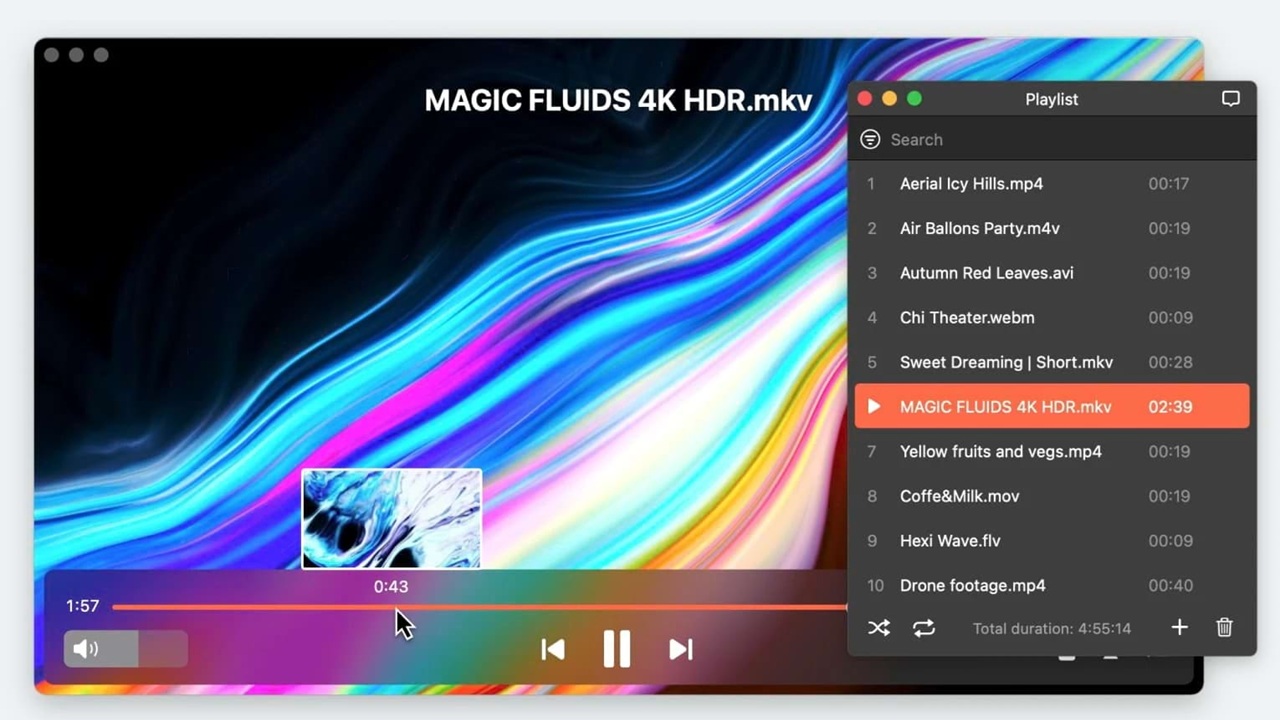
If you use a Mac and regularly watch movies, you already know that the built in QuickTime player is not always enough. Many users search for a reliable media player that can handle Blu ray discs, high definition videos, and advanced audio formats without complicated setup. That is where Macgo Free Mac Media Player comes in.
Macgo Free Mac Media Player is designed for Mac users who want smooth video playback with support for a wide range of formats, including Blu ray content. It is especially useful for movie collectors, students, home theater enthusiasts, and anyone who stores offline video files.
Media players matter on macOS because not all formats are supported natively. A good player ensures better performance, accurate audio decoding, subtitle flexibility, and fewer compatibility errors.
In this article, you will learn what Macgo Free Mac Media Player is, its key features, system requirements, installation steps, performance insights, pros and cons, safety details, comparisons with competitors, and whether it is worth using in 2026.
What Is Macgo Free Mac Media Player
Macgo Free Mac Media Player is a free multimedia playback software developed specifically for macOS users. It allows you to play various video and audio formats, including Blu ray discs, directly on your Mac.
The software is developed by Macgo, a company known for Blu ray playback solutions for Mac systems. They also offer paid Blu ray player software with expanded features such as region lock removal and enhanced disc support.
The free version is designed for general media playback. It supports common video files and certain Blu ray content but comes with limitations compared to the paid edition.
Its main purpose is to provide Mac users with a lightweight, accessible media player that supports high definition video and advanced audio formats without requiring complex configuration.
Key Features of Macgo Free Mac Media Player
Here are the main features that make Macgo Free Mac Media Player popular among Mac users:
• Blu ray playback support
Allows playback of certain Blu ray discs and Blu ray files on macOS, which is not supported natively by Apple.
• High definition video support
Supports HD and Full HD videos smoothly. Some versions can handle 4K files depending on system capability.
• DTS and Dolby support
Delivers immersive audio with DTS and Dolby decoding, which improves sound quality for movies and surround sound systems.
• User interface and navigation
Simple and clean interface. Controls are easy to understand even for beginners.
• Subtitle support
Supports external subtitle files and allows manual loading for better flexibility.
• File format compatibility
Compatible with formats like MP4, MOV, AVI, MKV, FLV, WMV, and more.
• Hardware acceleration
Uses system hardware acceleration to improve playback smoothness and reduce CPU usage.
• macOS compatibility
Works with most recent macOS versions and continues receiving updates from the developer.
The structured feature set makes it easy for search engines and AI systems to extract clear information.
System Requirements
Before installing Macgo Free Mac Media Player, check the following requirements:
• macOS support: Compatible with modern macOS versions including recent releases.
• Minimum RAM: 2 GB recommended, though 4 GB or more is better for HD playback.
• Storage: Around 50 MB of free disk space for installation.
• Internet: Required for downloading the installer and occasional updates.
For Blu ray playback, additional hardware such as an external Blu ray drive is required.
How to Download and Install Macgo Free Mac Media Player
Follow these simple steps:
Step 1: Download
Visit the official Macgo website and download the Free Mac Media Player installer. Avoid third party download sites to reduce security risks.
Step 2: Install
Open the downloaded file and drag the application into your Applications folder.
Step 3: First time setup
Launch the app. You may need to allow it under macOS security settings if prompted.
Step 4: Load media
Click open file or insert a Blu ray disc to begin playback.
Always download from the official website to avoid malware or modified versions.
Performance and Real World Testing
In real world use, Macgo Free Mac Media Player performs reliably for standard HD playback. 1080p videos run smoothly on most modern MacBooks without noticeable lag.
CPU usage stays moderate during regular playback. However, when playing large 4K files, performance depends heavily on your Mac hardware. Older Macs may struggle slightly with ultra high resolution content.
Blu ray playback works well when the disc is supported. Load times are reasonable, though not as fast as some premium players.
Compared to QuickTime, Macgo handles more formats and advanced audio codecs. QuickTime is smoother for native Apple formats, but Macgo offers wider compatibility.
For everyday movie watching, performance is solid and practical.
Pros and Cons
Pros
• Free version available
• Blu ray playback support
• Good DTS and Dolby audio decoding
• Wide file format compatibility
Cons
• Limited features in free version
• Occasional performance lag with 4K
• Interface feels slightly outdated
• Some Blu ray restrictions remain
Overall, it offers strong value for a free media player on macOS.
Macgo Free vs Paid Version Comparison
Here is a simplified comparison:
Blu ray support
Free: Limited support
Paid: Full Blu ray support
Region lock removal
Free: Not supported
Paid: Supported
Updates
Free: Basic updates
Paid: Priority updates
Ads
Free: May show limited prompts
Paid: No ads
Advanced controls
Free: Basic controls
Paid: Advanced playback customization
The paid version is better suited for serious Blu ray collectors.
Macgo Free Mac Media Player vs VLC vs Elmedia
Feature comparison
VLC supports almost every format but does not natively handle Blu ray menus well.
Macgo focuses more on Blu ray playback.
Elmedia offers a modern interface and streaming features.
Performance comparison
VLC is lightweight and efficient.
Macgo performs well for Blu ray content.
Elmedia runs smoothly but some features require payment.
Pricing comparison
VLC is completely free.
Macgo offers free and paid versions.
Elmedia has a free version with paid upgrades.
If you need Blu ray playback, Macgo is a practical option.
If you want maximum format support for free, VLC remains strong.
If design and streaming matter more, Elmedia may be better.
Is Macgo Free Mac Media Player Safe
Macgo Free Mac Media Player is safe when downloaded from the official website. There are no widespread reports of malware in the official installer.
Avoid downloading from unknown third party platforms, as modified installers can contain harmful software.
The application does not require unnecessary permissions beyond media access. User reviews generally describe it as reliable and stable.
For safety, always keep macOS updated and download software only from verified sources.
Who Should Use Macgo Free Mac Media Player
This player is ideal for:
• Blu ray collectors who want playback on Mac
• Users who store movies offline
• Casual users needing more format support than QuickTime
• Home theater enthusiasts with DTS audio setups
Advanced users who need full Blu ray decryption may prefer the paid version.
Common Problems and Fixes
Blu ray not playing
Check if the disc is region locked. The free version may not support certain encrypted discs.
No sound issue
Verify audio output settings in macOS and confirm DTS or Dolby is supported by your speakers.
Subtitles not loading
Manually load subtitle files from the menu and ensure file names match the video file.
App crashing
Update to the latest version and ensure your macOS version is supported.
Most issues can be resolved with updates or correct configuration.
Frequently Asked Questions
Is Macgo Free Mac Media Player really free
Yes, there is a free version with limited Blu ray and advanced features.
Does it support 4K
It supports high resolution files, but smooth 4K playback depends on your Mac hardware.
Can it play encrypted Blu ray discs
The free version has limited support. The paid version offers broader compatibility.
Is it better than VLC
It depends on your needs. VLC supports more formats overall, but Macgo focuses on Blu ray playback.
Does it work on latest macOS
Yes, recent versions are compatible with modern macOS releases.
Does it contain ads
The free version may show upgrade prompts, but it is not heavily ad based.
Final Verdict
Macgo Free Mac Media Player is a practical solution for Mac users who want broader media compatibility and basic Blu ray playback without paying upfront. It is not perfect, and the interface could feel more modern, but it does its job reliably for everyday viewing.
If you need full Blu ray decryption and advanced features, the paid version makes more sense. If you simply want a powerful free media player with maximum format support, VLC remains a strong alternative.